File documents without renaming files
Many document archives depend on file names. Invoices, contracts, and receipts get long names so they can be found later. This takes time and only works when everyone knows and follows the same rules.
SimpleDMS moves this structure into metadata. Document type, date, fields, and tags describe the content.
When you file documents, SimpleDMS helps with suggestions so you can quickly add suitable metadata to new documents. The original file name can stay as it is.
Everyday problem
Descriptive file names look simple, but they quickly become a source of errors. A missing date, a different spelling, or a forgotten customer number is enough to make documents hard to find later.
In teams, this becomes especially visible because each person develops their own naming patterns. Over time, the archive fills up, but it can no longer be searched reliably.
Workflow in SimpleDMS
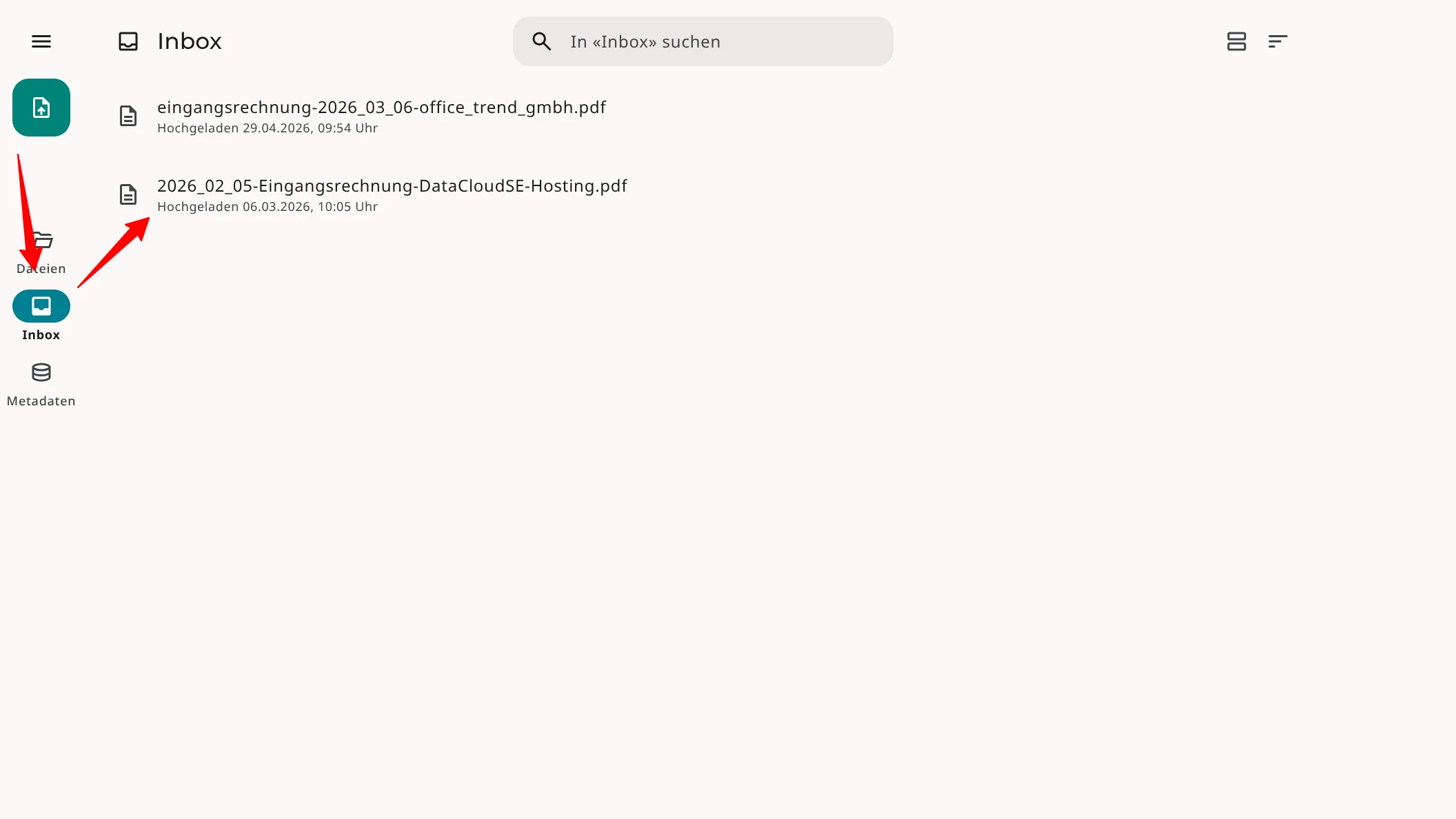
1. Upload the file unchanged
After uploading the file to SimpleDMS, you do not need to clean up, extend, or adapt the file name to a naming scheme.
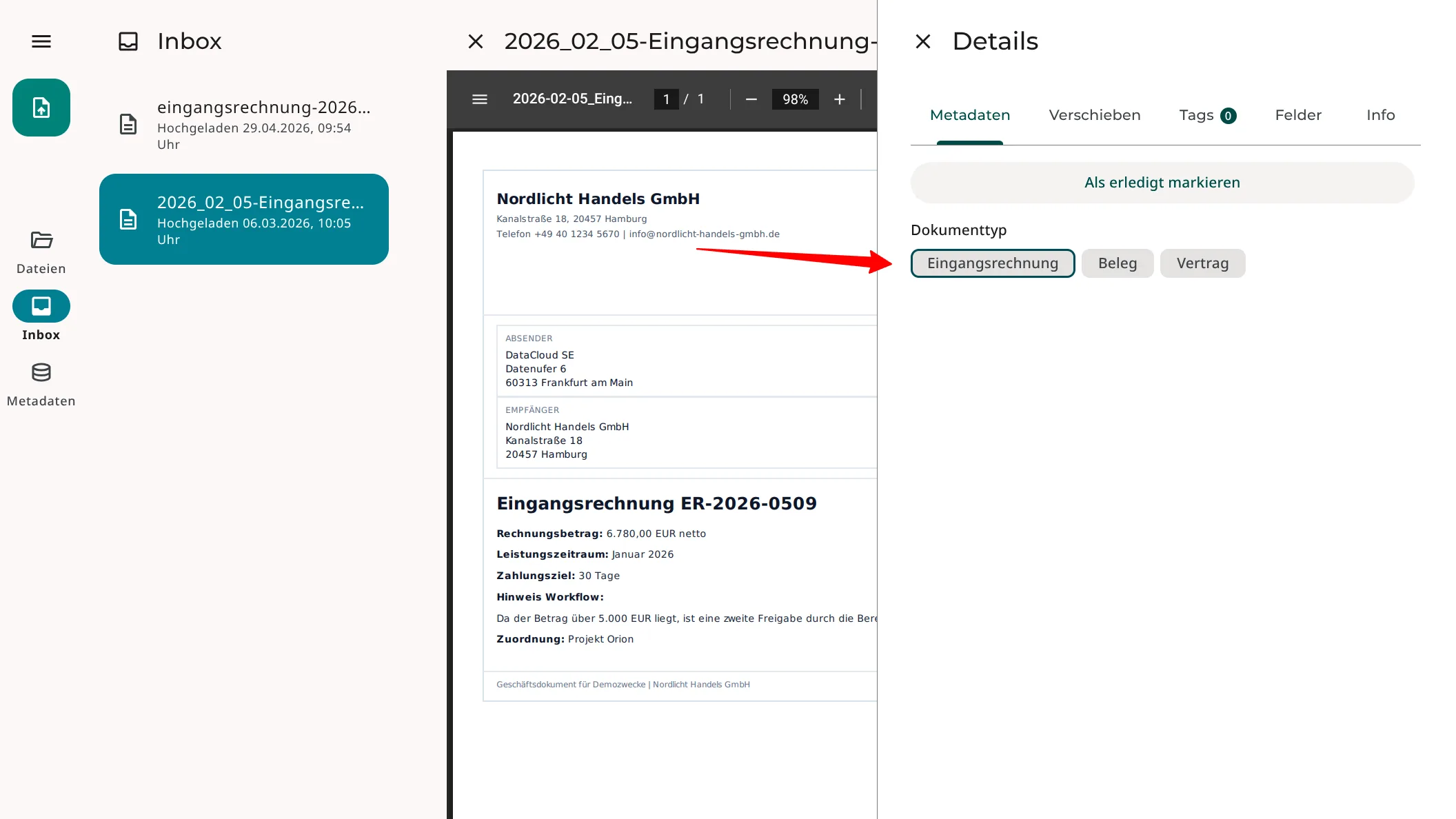
2. Select the document type
SimpleDMS detects that the document is an incoming invoice and suggests the matching document type. You confirm the suggestion or choose another document type.
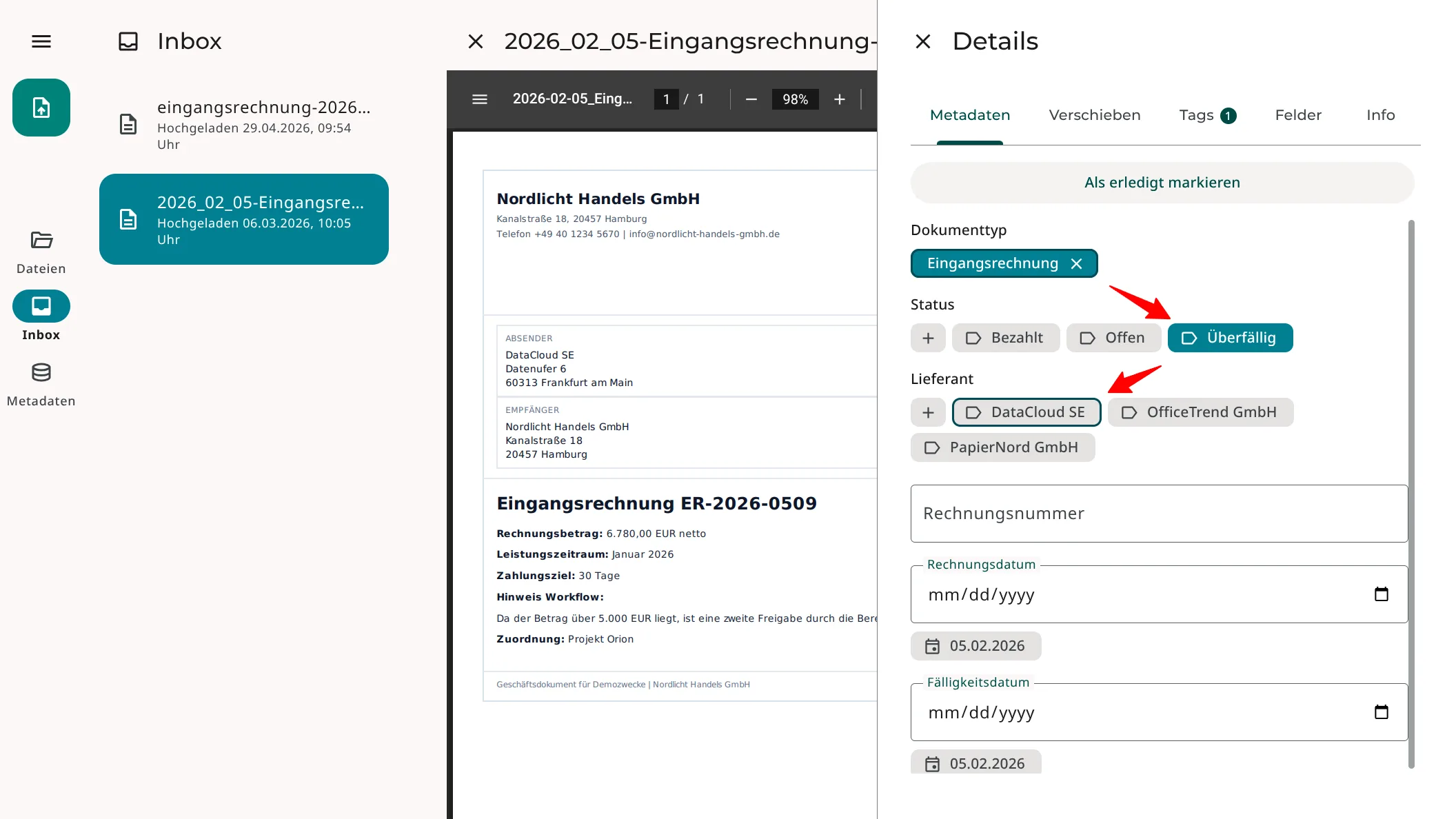
3. Review and confirm metadata suggestions
Document types are configurable, so SimpleDMS knows which additional metadata is relevant for the document.
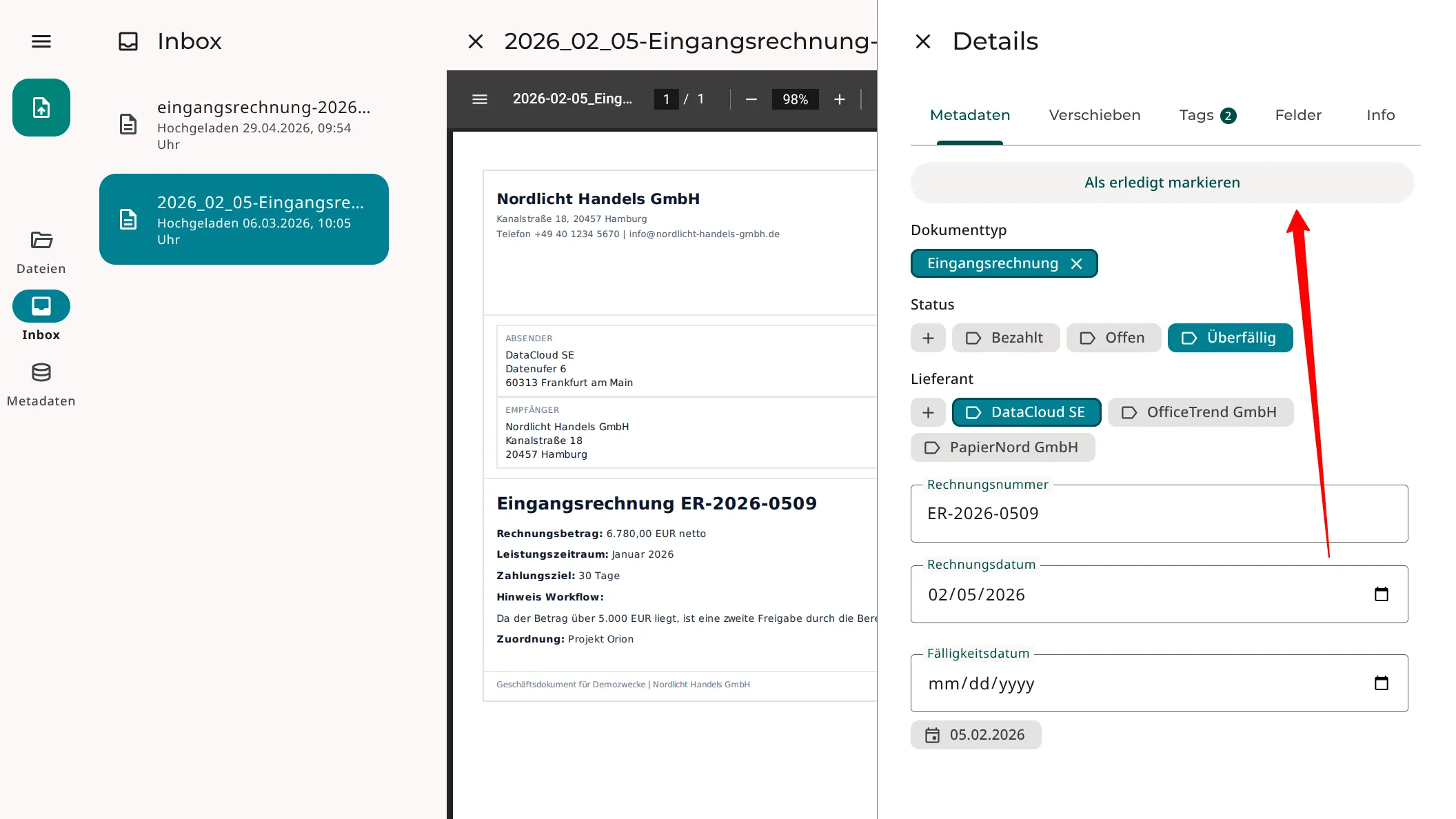
In the screenshot, SimpleDMS has recognized the supplier «DataCloud SE» and suggests the matching value.
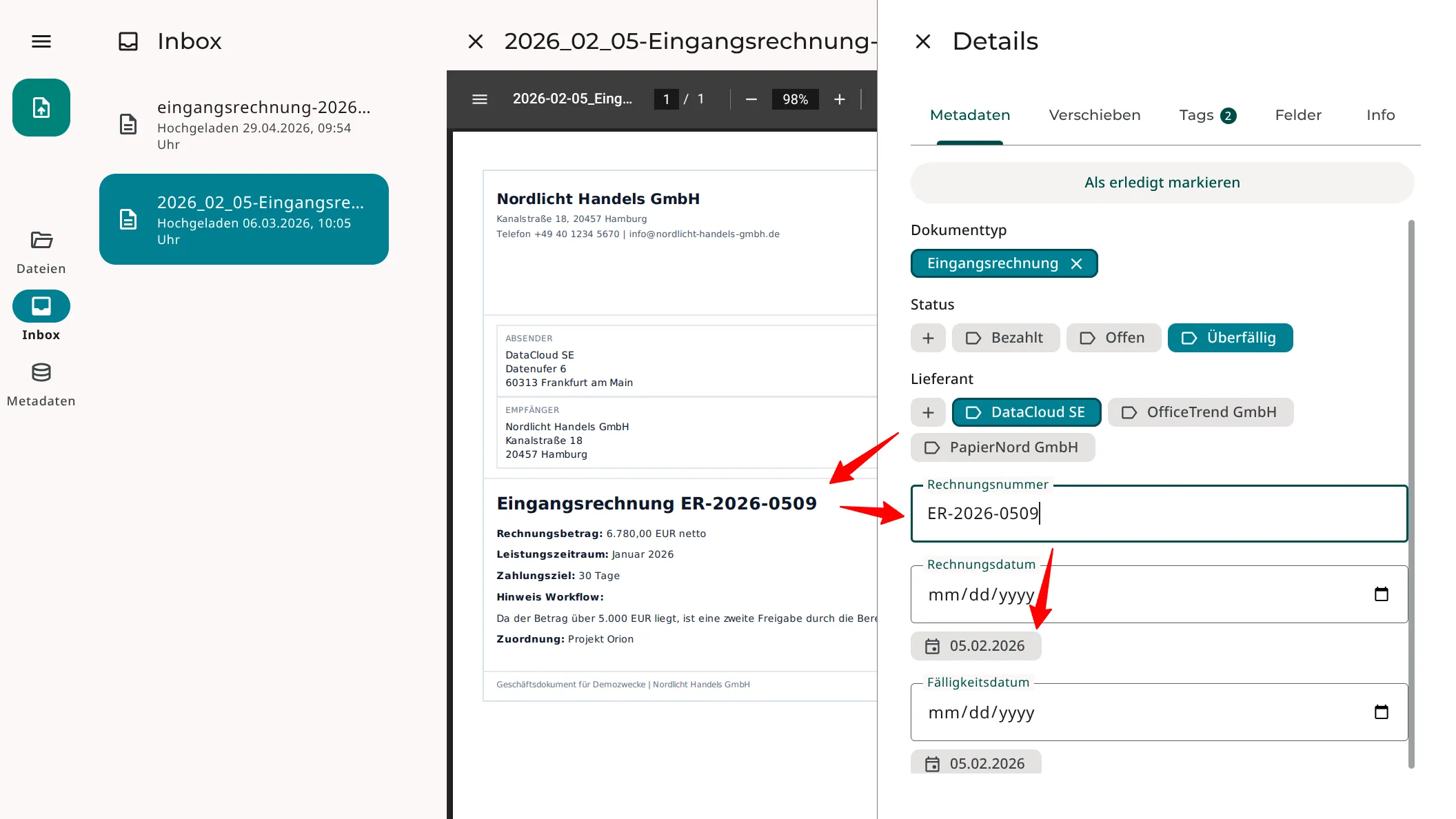
The invoice number can be copied directly from the document preview. SimpleDMS suggests an invoice date, which can be confirmed with one click.
4. Mark the document as done
Once all metadata has been captured, the document can be marked as done.
5. Derived label in the file overview
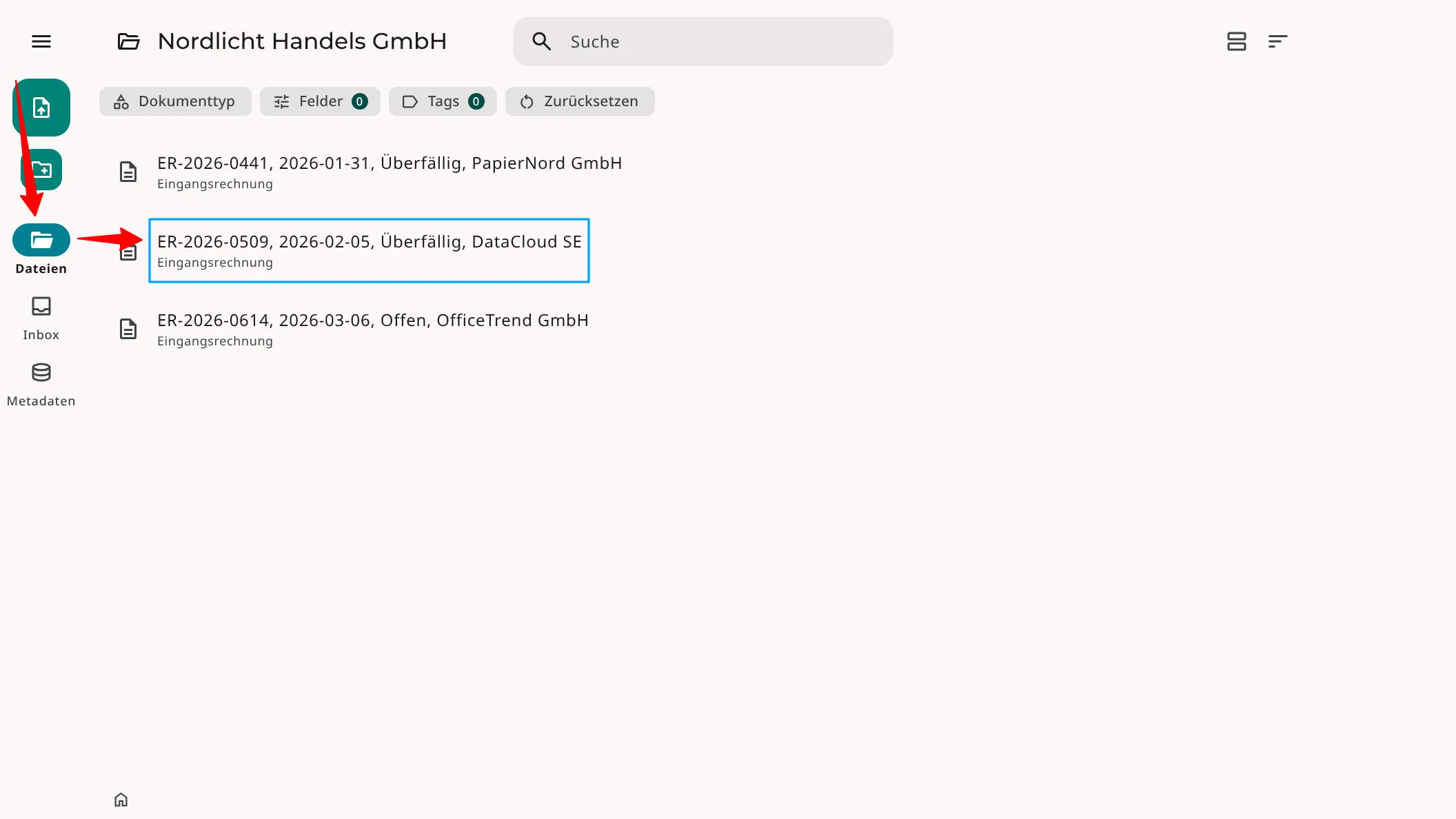
When you switch to the file overview, you see the derived internal label in SimpleDMS.
The original file name remains visible in the file details, but it is no longer relevant for finding and organizing the document.
How it works
In SimpleDMS, document types are configurable. Each document type can be described through attributes, including fields and tag groups. Individual attributes can be marked as name-giving.
In this example, invoice number, invoice date, status, and supplier are defined as name-giving attributes. SimpleDMS uses their values to derive the internal label automatically.
Benefit
Filing becomes more consistent because the structure no longer depends on freely written file names. Documents can be searched, filtered, and compared by business criteria.
For teams, this means fewer questions, less renaming work, and less risk of missing important documents because file names are inconsistent.
More information